Embed branded intake
Place an inline form or modal on an approved site, use a hosted link, or build a front end against the intake API.
Add branded intake and connect care and program data through documented APIs.
Place an inline form or modal on an approved site, use a hosted link, or build a front end against the intake API.
Receive signed lifecycle updates and follow delivery attempts, retries and failure history.
Map clinical, payment, pharmacy, lab and carrier systems to the workflow and requirements of each client.
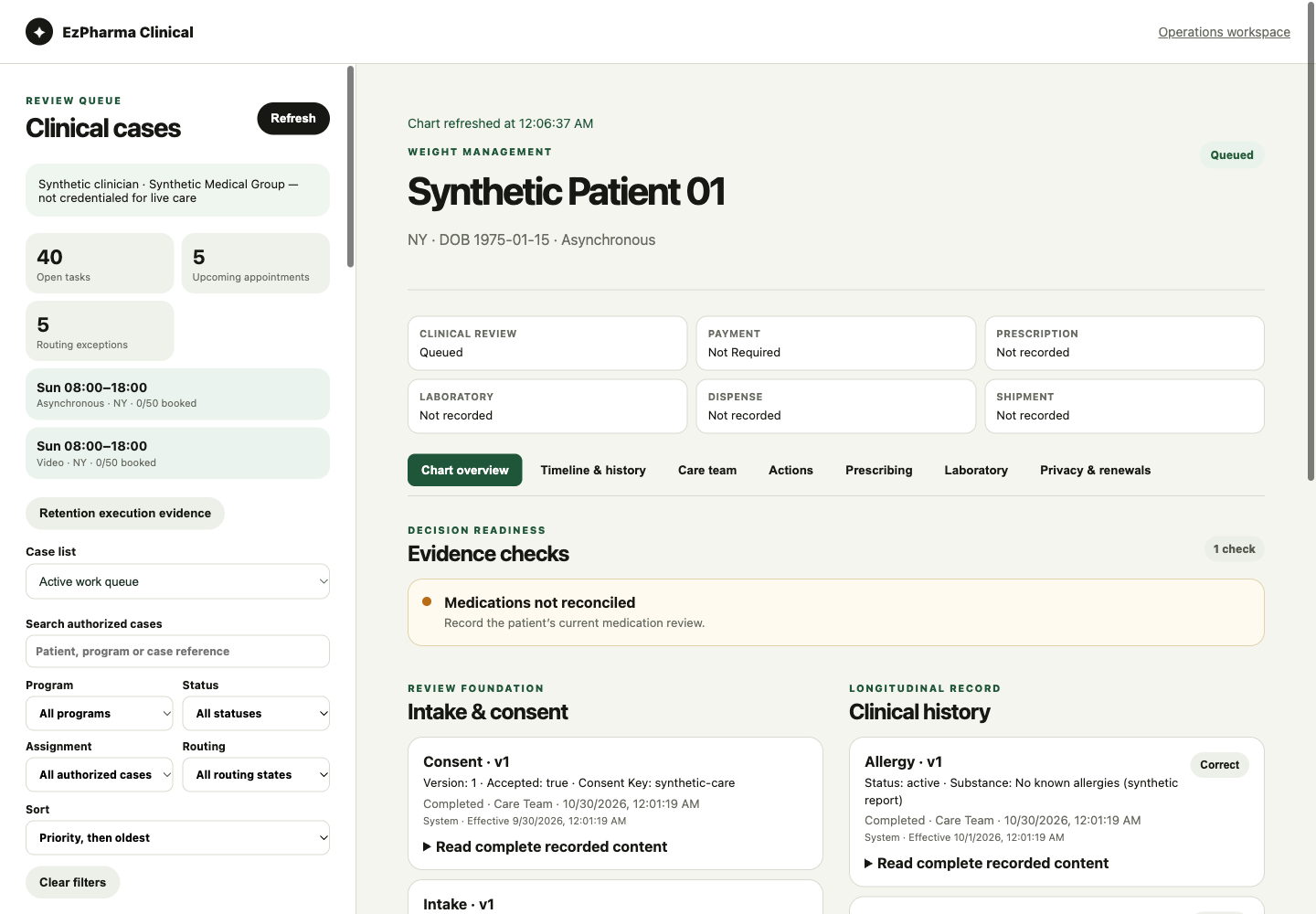
Client, clinician and patient workspaces share records and supported actions with your integration.
Explore the platform ↗Use the right credential for the client and connection. A caller-supplied client identifier does not grant access.
Clinical, payment, pharmacy and delivery progress have their own meaning. A change in one does not silently approve another.
Signed updates, repeat-safe requests and recorded delivery attempts support recovery when systems are unavailable.
Use the documented contract, test the actual systems and complete applicable client and partner acceptance before enabling live traffic.
EzPharma provides software. Licensed clinicians make care decisions; laboratories, pharmacies and delivery partners provide their respective services.
Clinical services, payments and integrations require client-specific setup, testing and approvals. Screenshots use synthetic data.
Tell us about your program and the features you need.
View the demoFor business inquiries. Please do not include patient information.