Configure your journeys
Create and publish versioned intake journeys with branded product choices and consent.
Software for branded intake, clinical review, patient care, payments and delivery tracking.
Configure products, questions, consent and intake placement for your program.
Create and publish versioned intake journeys with branded product choices and consent.
Use embedded forms, a modal, a hosted link or your own front end through the API.
Approve website origins, test the sandbox journey and review live scope before enabling an installation.
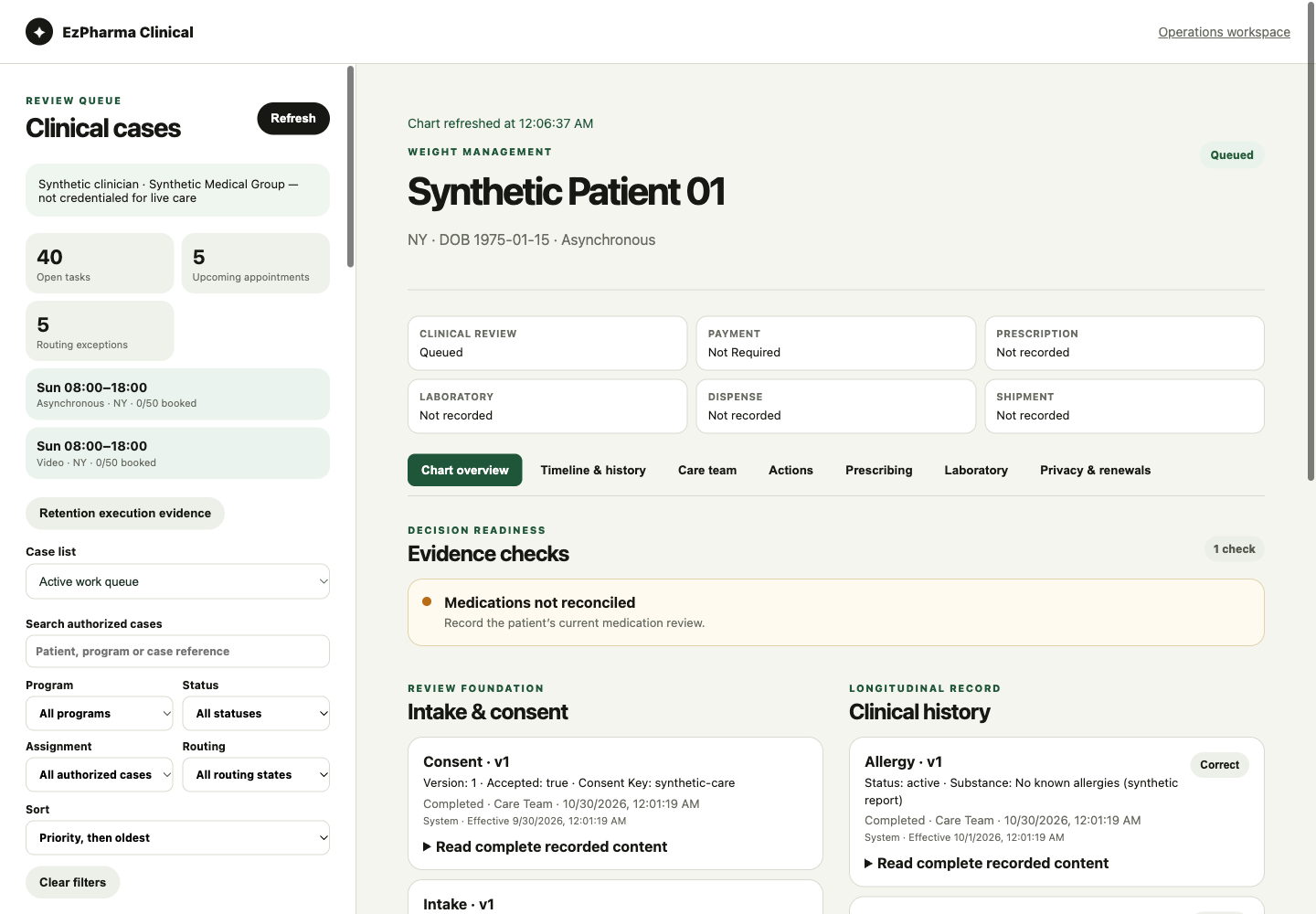
Read the chart, intake evidence and history. Request missing information before making a decision.
Manage tasks, appointments, provider routing and protocol requirements with role-based access.
Record clinical notes and signed decisions, then follow approved prescribing and laboratory workflows.
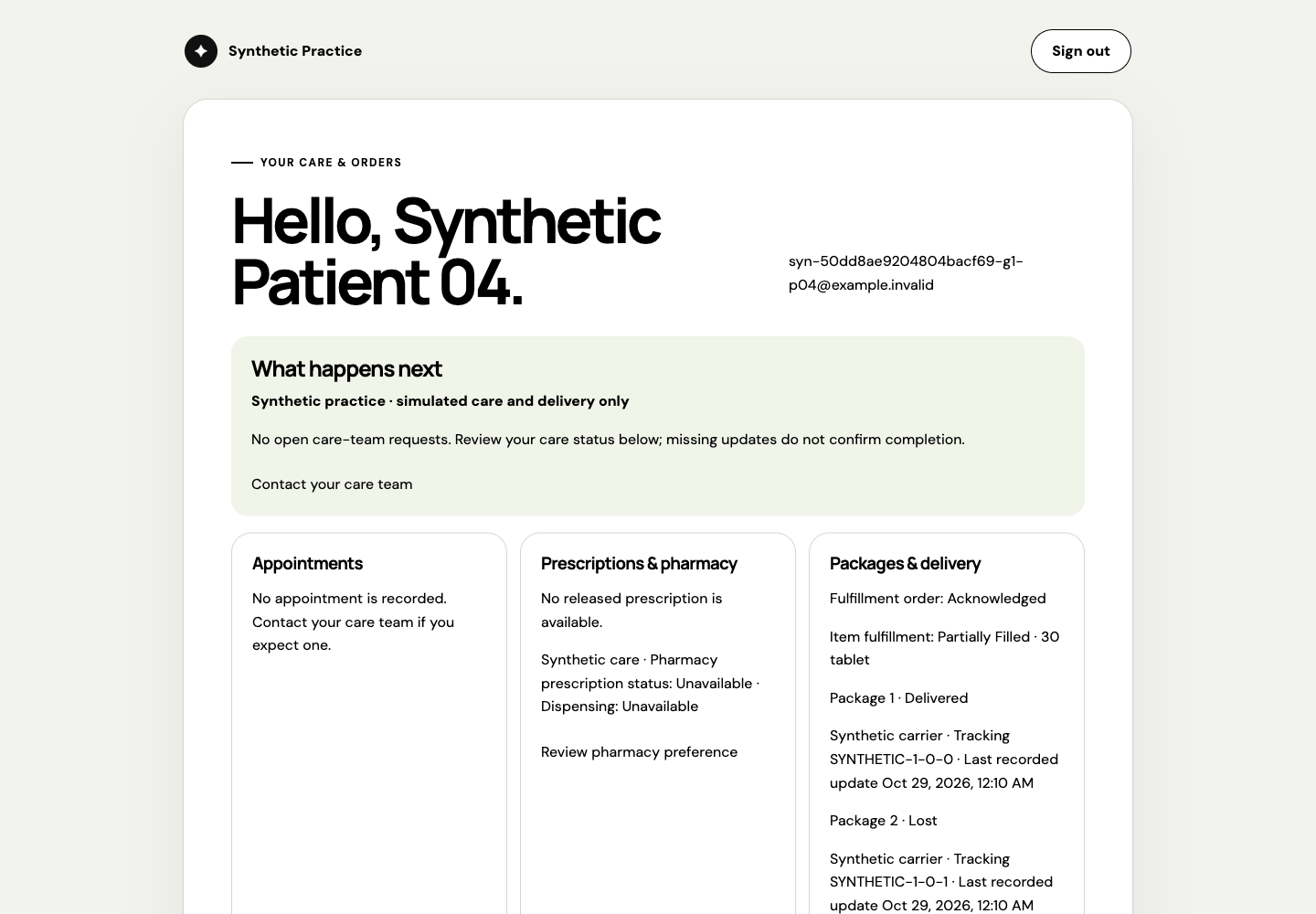
Patients use their program’s portal to see next steps, respond to requests and stay connected to the care team.
Track merchant setup, payment progress, refunds and disputes through the client’s connected account.
See pharmacy outcomes and package movement, including partial fulfillment, exceptions and reships.
Follow cycles, due tasks and blocking requirements. A paid order never stands in for a care decision.
Manage approved templates, scheduling, preferences, suppression and delivery history.
Review launch readiness, website installations, intake submissions and delivery issues.
Manage individual access, authenticator setup, account recovery and sessions.
Documented APIs and signed updates connect approved systems to the right workflow.
Read the developer documentation ↗Staff access, patient access and partner credentials have separate permissions. Each client’s data stays separate.
Track delivery history, retry failures and handle repeated or out-of-order updates safely.
Select and test actual payment, clinical, lab, pharmacy, fulfillment and carrier connections for the client’s scope.
EzPharma provides software. Licensed clinicians make care decisions; laboratories, pharmacies and delivery partners provide their respective services.
Clinical services, payments and integrations require client-specific setup, testing and approvals. Screenshots use synthetic data.
Tell us about your program and the features you need.
View the demoFor business inquiries. Please do not include patient information.